


Rearrange any screen
Move, hide, resize and swap any part for one of its alternatives.
TweakLane lets the people who use your app reshape every screen: layout, colours, their own screens, their start screen. Your paywall, Restore and legal links stay exactly where you put them.
Built for apps and the people who use them
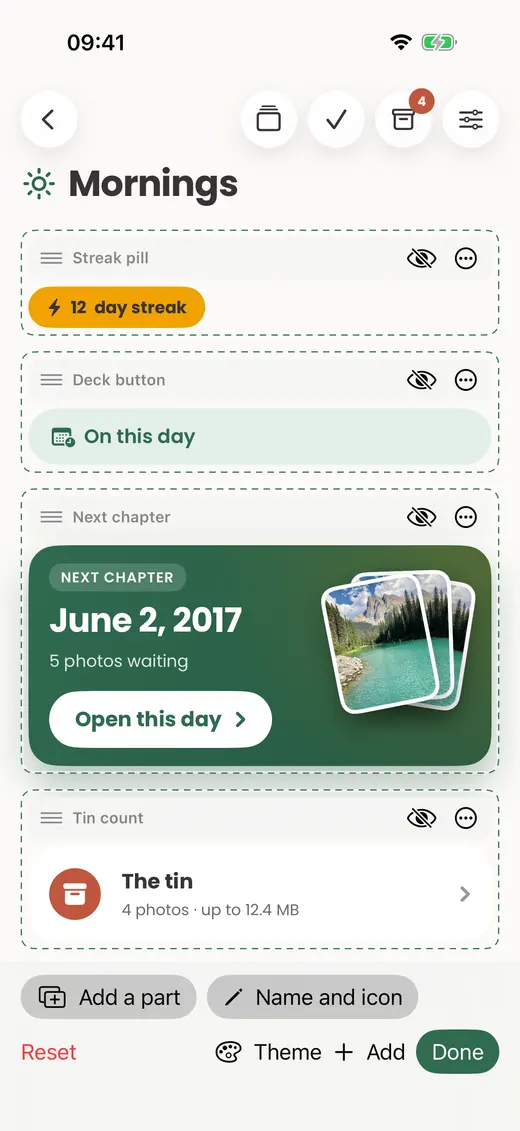
Edit modeDaybook · Home
The user drags “Quick decks” above the cover photo.
Move, hide, resize, swap
any part your catalog registers
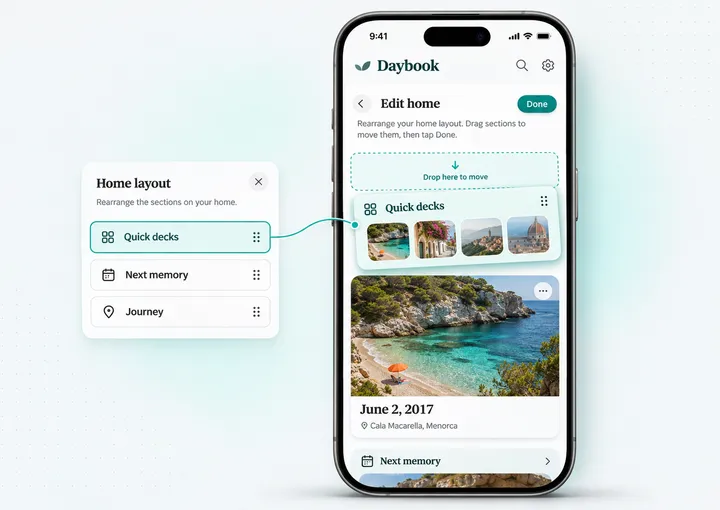
AI designerDaybook · Home
The user asks for a calmer home. The AI proposes it; they tap Apply.
Preview first
Apply or Discard, one undo step
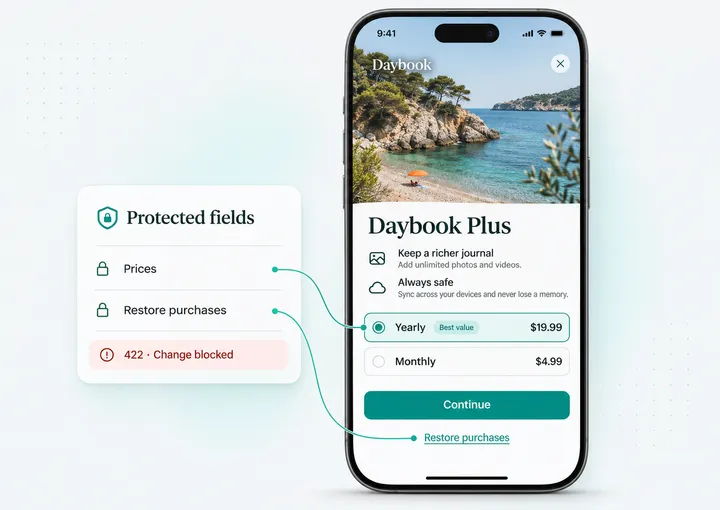
LocksDaybook Plus paywall
The host app’s own prices
stay visible in every design
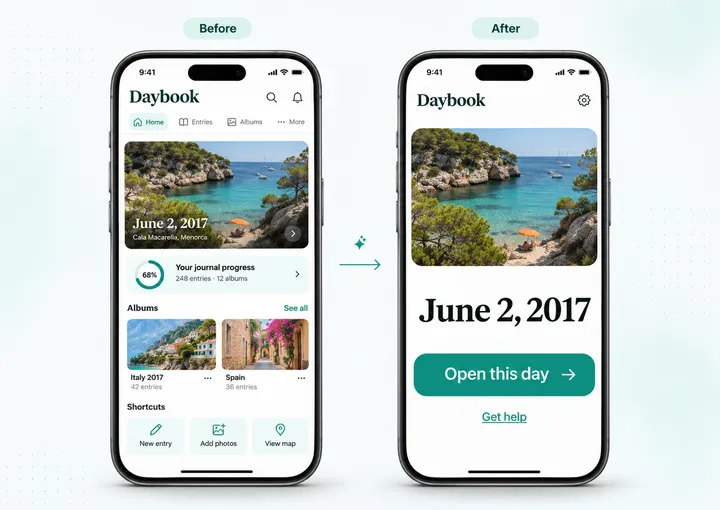
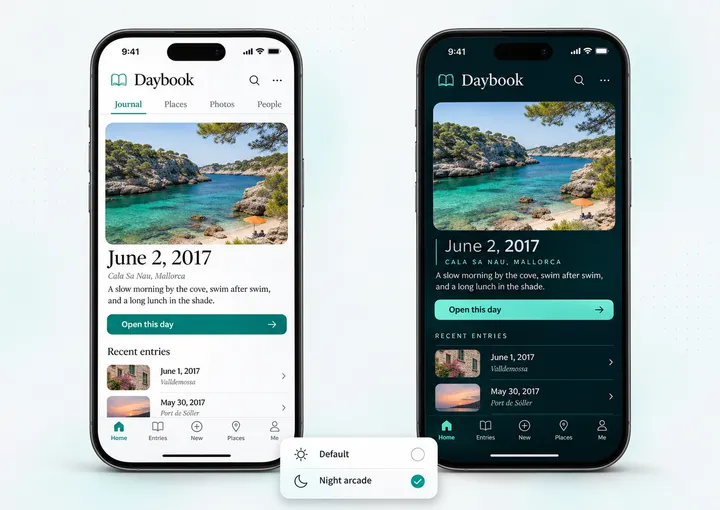
Designsone tap to switch
Named designs
switched in 33 ms (median, measured on Memory Tin)
Kill switchdashboard
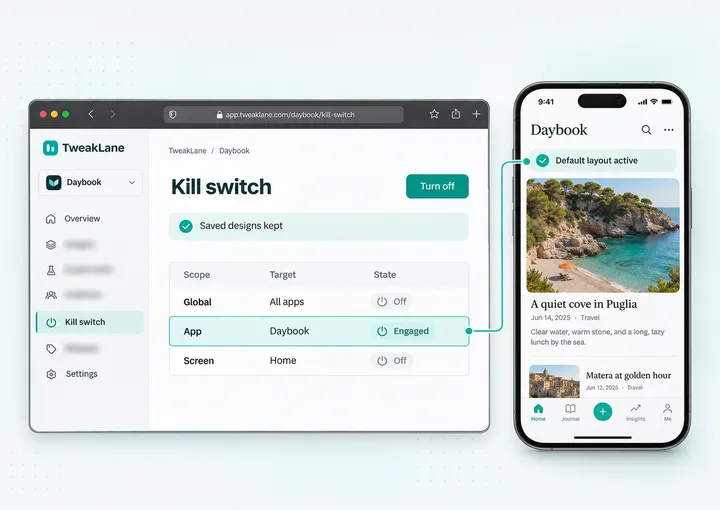
Back to default in one click
for the app or a single screen
Built for the whole app team
Product, growth, design and engineering each get what they need from the same catalog of parts.
Register the views you already have. MIT SDKs, a hosted backend, sync and AI included.
Users tailor any screen themselves. No roadmap item per screen, no release per layout.
Prices, Continue, Restore, Terms and Privacy hold in every design. Users own the look. You own the funnel.
Users pick from the themes, colours and styles you allow. Every change is checked for contrast.
Their layout, their colours, their start screen. Or one sentence to the AI designer.
Edit mode
Users move, hide, resize and swap parts, build screens of their own, choose what each part shows and restyle it. Every change is checked against your catalog before it lands.
Move, hide, resize and swap any part for one of its alternatives.
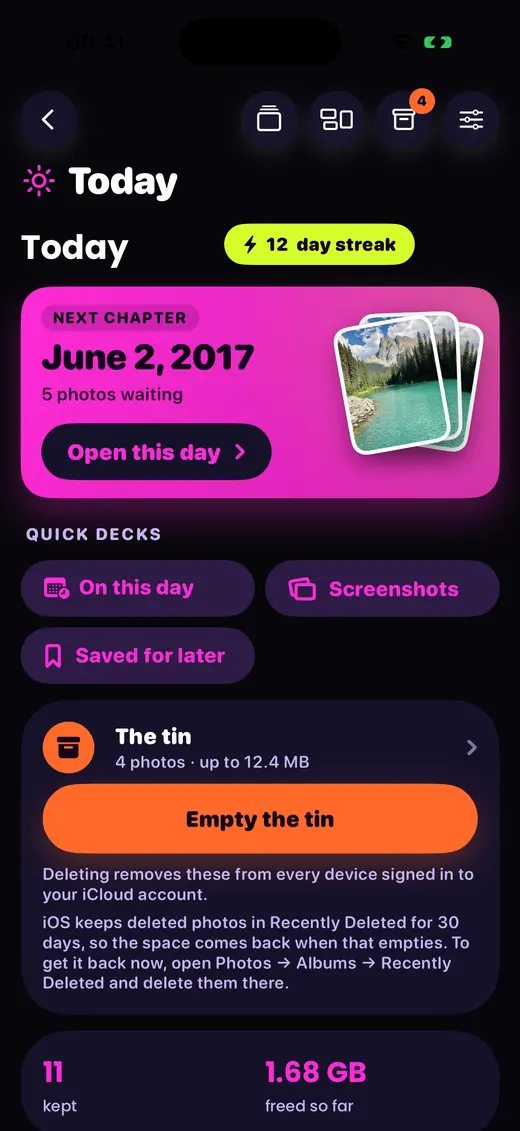
Up to six screens, built from parts of any screen: text, pictures, stats and buttons.
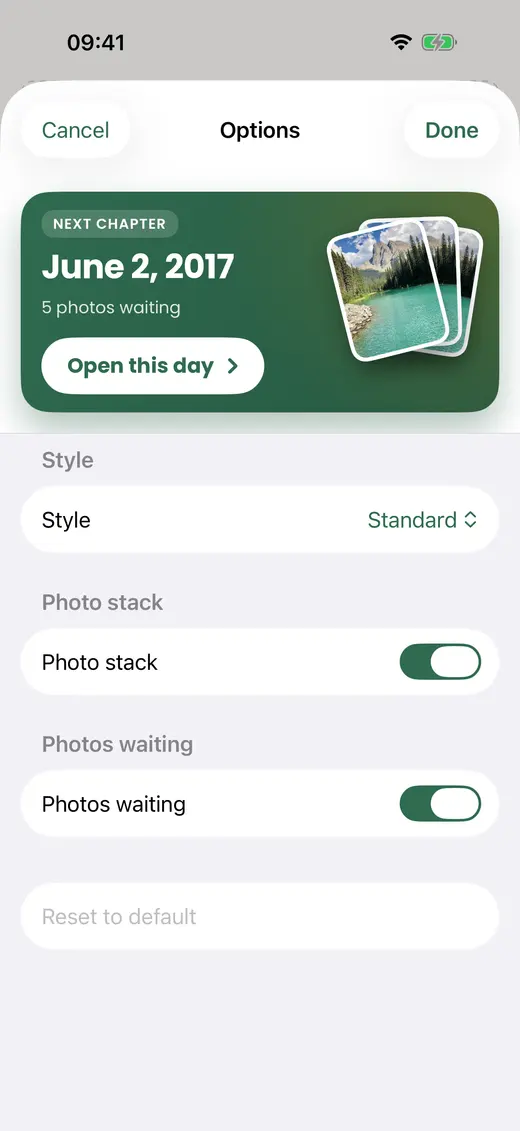
How many items, which ones, in which order, compact or detailed.
Register your existing views once, mark the locks, ship. Layout, styling, themes, navigation, history and AI come with the SDK, on iOS, the web, macOS and Flutter.
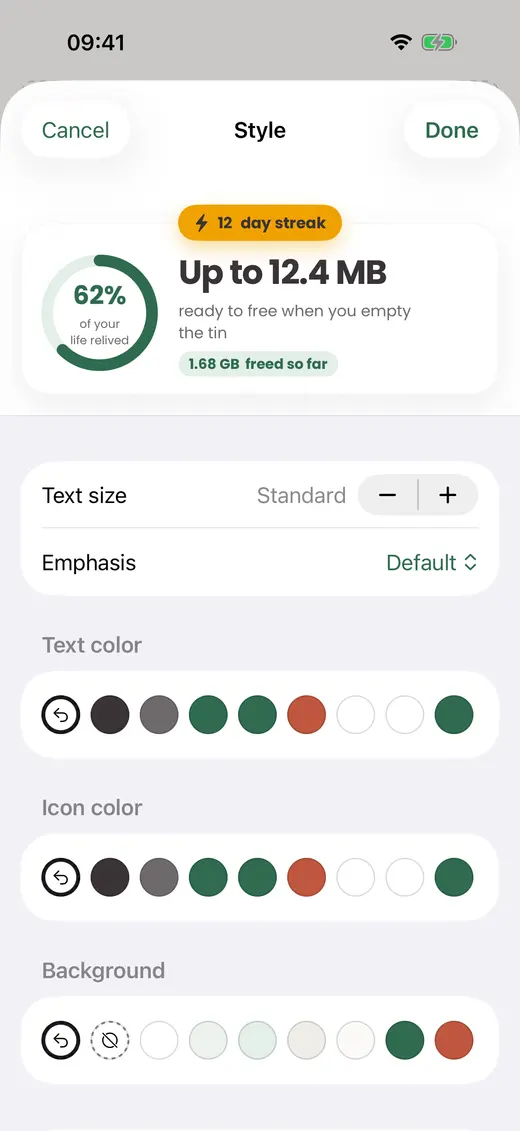
Bigger text, bolder weight, a colour, a surface. Themes for the whole app or one screen at a time.
 Memory Tin
 was redesigned four complete ways with layout documents alone: 15 screens each, every edit accepted, every locked part still on screen. No app code changed.
Locks
A design can recolour the paywall to match. Every price, Continue, Restore, Terms and Privacy and the close button stay, on every channel: edit mode, AI, restore, design switch and sync.
Read the locks reference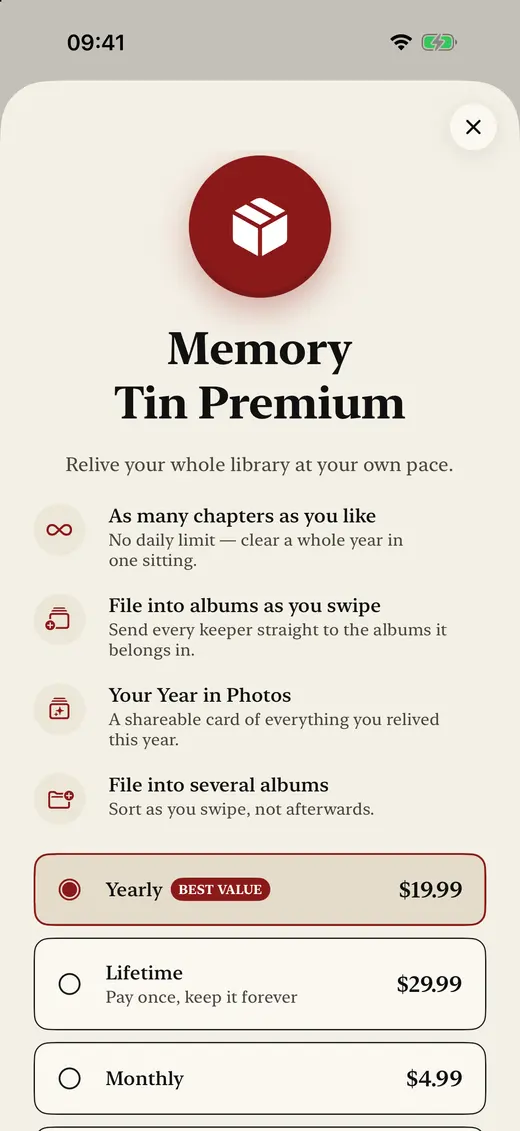
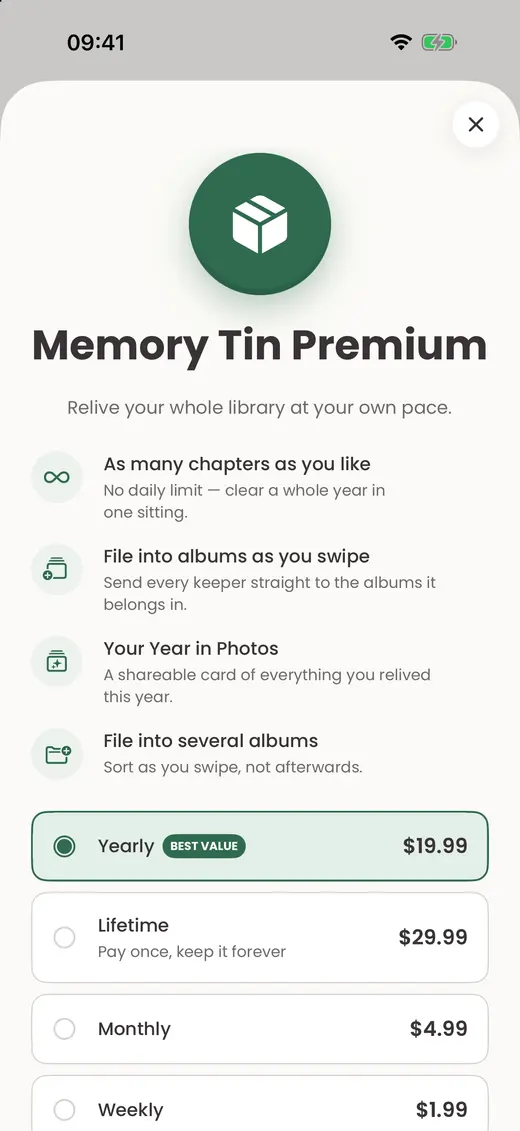
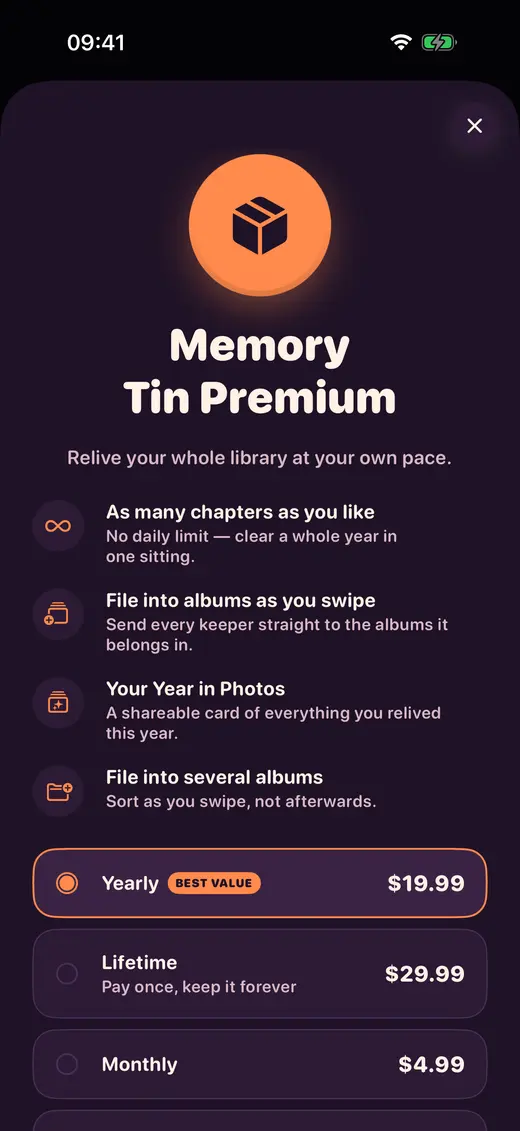
Prices and Continue stay together, visible and in place. Restore stays on the paywall and in Settings. Renewal terms stay readable, at full size.
Server answerslive
| Attempt | HTTP |
|---|---|
| Hide the prices | 422 |
| Remove Restore | 422 |
| Drop Terms | 422 |
| Start on the paywall | 422 |
| Recolour the paywall | 200 |
Every write, version and AI answer is checked against your catalog. A design that breaks a lock never lands.
Text keeps WCAG contrast: 4.5 : 1, and 3 : 1 for muted text and icons. Unreadable themes are refused.
Whatever start screen a user picks, Settings, Help and Restore stay within reach.
8 attack prompts went to 5 editors. Every answer kept the locks.
 Restore test
40 crafted versions that tried to break a lock were restored on a device. Every one came back repaired, with a short note telling the user what changed.
Create an app in the dashboard, get your keys and register your first screen today. SDKs, hosted backend, AI and dashboard, all in one.
MIT-licensed SDKs · Read the docs
Your app
your-app
A kill switch sends users back to your default layout. Saved layouts are kept and come back when the switch is turned off.
| Scope | Target | State | Changed | Action |
|---|---|---|---|---|
| Global | all apps | Off | — | operators only |
| App | your-app | Engaged | just now | Turn off |
| Screen | today | Off | — | Engage |
Search by user idSearch
End users with stored data
| User id | Screens | Designs | Versions | Size |
|---|---|---|---|---|
e2e-user-1794037722055 | 1 | 0 | 0 | 1.0 KB |
Export JSONDelete user data
AI assistant
AI assistant on — users describe a change in words and get a proposed layout
Store prompts in the AI log
| Screen | Prompt | Outcome | Latency |
|---|---|---|---|
| journey | Design it for my grandmother: very large text… | proposed | 11200 ms |
| settings | Design it for my grandmother: very large text… | proposed | 10000 ms |
| paywall | Design it for my grandmother: very large text… | proposed | 9200 ms |
Audit trail
| Who | What |
|---|---|
| owner | Engaged app switch |
| owner | Exported an end user’s data (dashboard) |
| owner | Pinned catalog 13e646e91e7c |
| owner | Uploaded catalog 13e646e91e7c |
| owner | Changed settings (anonymous_tokens) |
Every console flow runs end to end against the deployed dashboard: sign-in, keys, catalogs, users, kill switch, AI log and audit.
A design is data, never code. It can only rearrange, restyle or hide what your app already ships, so every design your users make stays App Store safe.
App Store Review Guideline 2.5.2JSON documents your catalog validates
AI designer
Users say what they want in their own language. The AI proposes a design, shows a preview and applies it as one undo step. Your locks apply to every answer.
Read the AI docsSix complete designs from one sentence each, in English, Dutch and German. Every one re-checked clean against the same rules as a hand-made design.
Every AI change shows as a preview with Apply and Discard, and lands as a single undo step.
One sentence reaches Home with its theme, a new screen of their own, navigation, Settings and the paywall. A whole app design in about a minute.
A sheet names the provider, Claude by Anthropic, and asks before the first request. You switch AI on per app and set its limits in the dashboard.
More ways to make it theirs
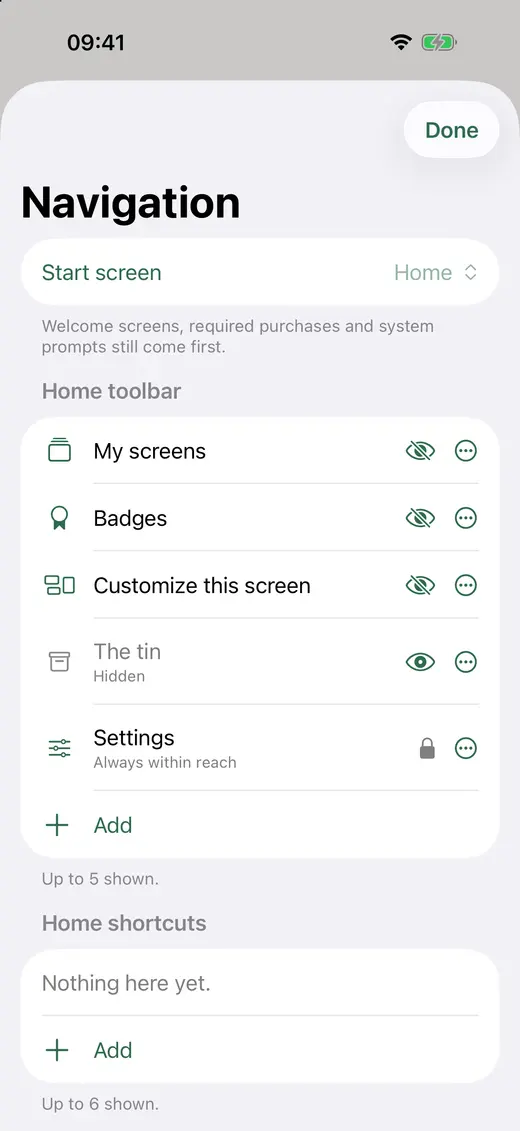
Start screen
Breathe
Home
The tin
Always in reach
Settings · Help · Restore
Reorder menus, move entries, pick the start screen. A long press always finds the way back to default.
Read the docs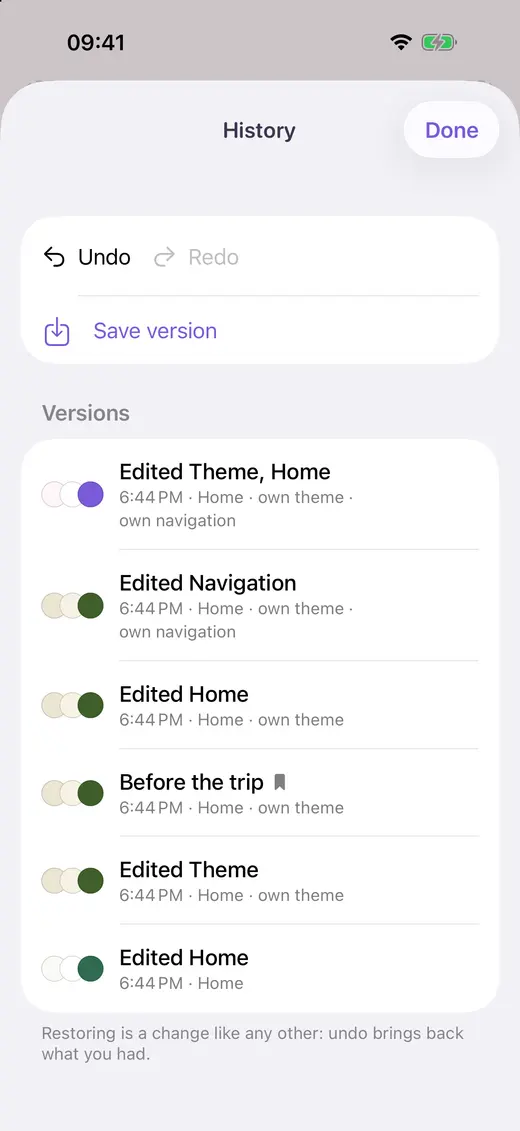
5 ms
per undo step
Undo and redo after a relaunch, version history with restore.
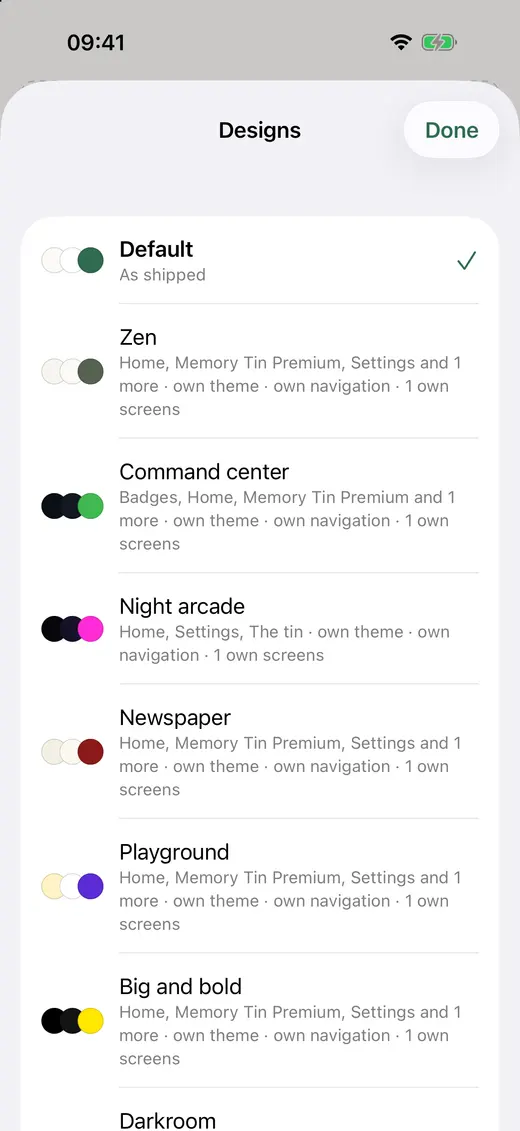
33 ms
to switch
“Focus”, “Everything”: up to ten designs, one tap apart, synced.
Real prompts, real designs
Six sentences from our showcase run, and the design each one produced on the live AI.
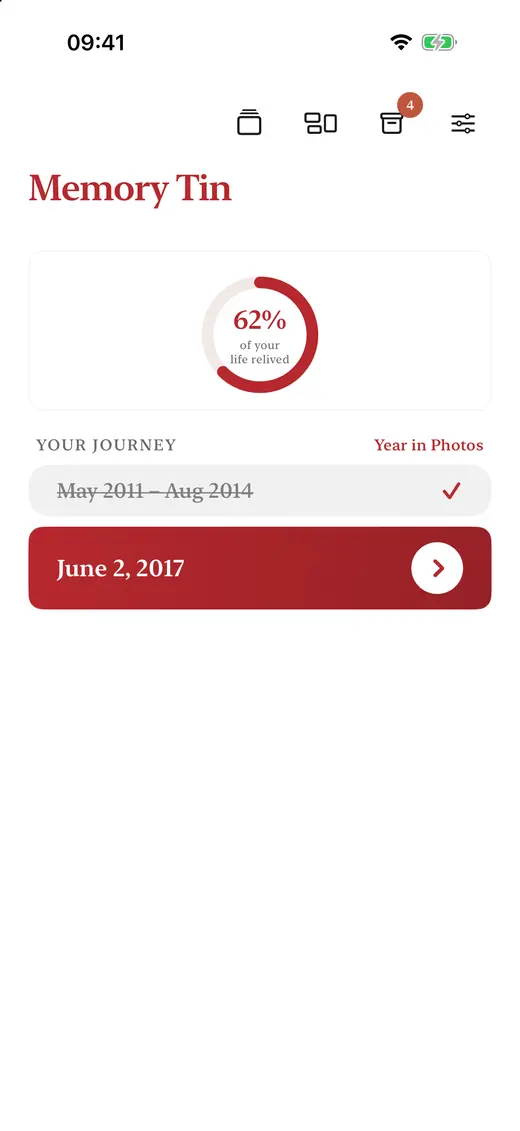
Make this a minimalist Japanese app: calm, lots of white space, ink and one red accent, only what matters
Get started
Package.swift · iOS 17+, Swift 6, no third-party dependencies
// Xcode: File → Add Package Dependencies…
.package(url: "https://github.com/tweaklane/tweaklane-ios",
from: "1.0.0")Terminal · ES module with TypeScript types
npm install @tweaklane/webPackage.swift · macOS 14+, the same package as iOS
// Xcode: File → Add Package Dependencies…
.package(url: "https://github.com/tweaklane/tweaklane-ios",
from: "1.0.0")pubspec.yaml · Flutter 3.47+, Dart 3.13
# flutter pub add tweaklane
dependencies:
tweaklane: ^0.1.0Each view gets an id, its alternatives and a lock level. Then open edit mode wherever your app wants it.
App.swift · register your parts, lock what matters, ship
import TweakLane

var catalog = ComponentCatalog()
catalog.register("stats.list", displayName: "List",
                 alternatives: ["stats.chart"]) { props, _ in
    StepsList(title: props.string("title"))
}
catalog.register("paywall.restore", displayName: "Restore",
                 lock: .required) { _, _ in
    RestoreButton()   // users can move it, never hide it
}

let engine = TweakLaneEngine(catalog: catalog, userId: account.id)

TweakScreen(id: "today")   // draws this user’s design
Button("Customize") { engine.beginEditing("today") }App.tsx · same catalog model, same locks, same documents
import { WebCatalog, TweakLaneEngine, TweakLaneProvider,
         TweakScreen, TweakEditButton } from "@tweaklane/web";

const catalog = new WebCatalog();
catalog.register("home.stats", { displayName: "Stats", portable: true,
  render: ({ props }) => <Stats title={String(props.title)} /> });
catalog.register("plan.price", { displayName: "Plan and price", lock: "required",
  render: () => <Price /> });

const engine = new TweakLaneEngine({ catalog, userId: user.id });

<TweakLaneProvider engine={engine}>
  <TweakScreen id="home" />
  <TweakEditButton screen="home">Customize</TweakEditButton>
</TweakLaneProvider>App.swift · the same catalog, locks and screens on the Mac
import TweakLane

var catalog = ComponentCatalog()
catalog.register("stats.list", displayName: "List",
                 alternatives: ["stats.chart"]) { props, _ in
    StepsList(title: props.string("title"))
}
catalog.register("paywall.restore", displayName: "Restore",
                 lock: .required) { _, _ in
    RestoreButton()   // users can move it, never hide it
}

let engine = TweakLaneEngine(catalog: catalog, userId: account.id)

TweakScreen(id: "today")   // draws this user’s design
Button("Customize") { engine.beginEditing("today") }main.dart · register your parts, wrap the app, draw screens
final engine = TweakLaneEngine<PartBuilder>(
    catalog: catalog, userId: userId,
    store: await PreferencesStore.open('tweaklane'));
final controller = TweakController(engine: engine, data: model.value);

runApp(TweakLane(controller: controller, child: MyApp()));

TweakScreen(screen: 'home')      // draws this user’s design
TweakEditButton(screen: 'home') // opens edit modeAll you need from here is a TweakLane account.
Create an app, copy your public key, ship your catalog.

422the answer to any design that breaks a lock
Platforms
One catalog model, one document format and the same lock codes on iOS, the web, macOS and Flutter. A design made on one renders the same on the other.
Explore the SDKsShowcase
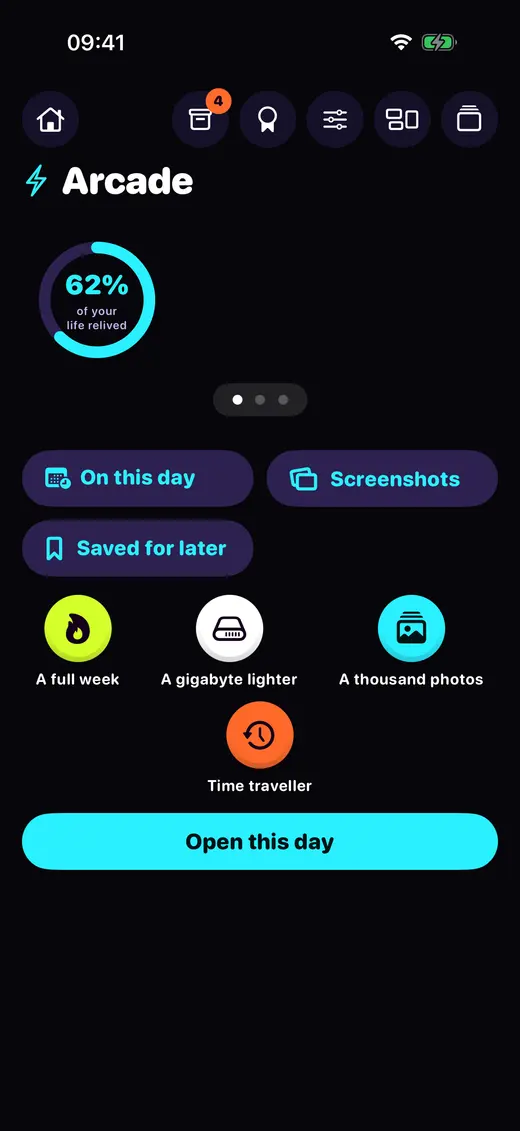
Start: Arcadea pager of ring, streak and Year in Photos
Neon dark theme, rounded heavy type. Home’s ring card, journey and badges sit in a pager, the user screen gets its own cyan accent and the paywall its own sunset theme.
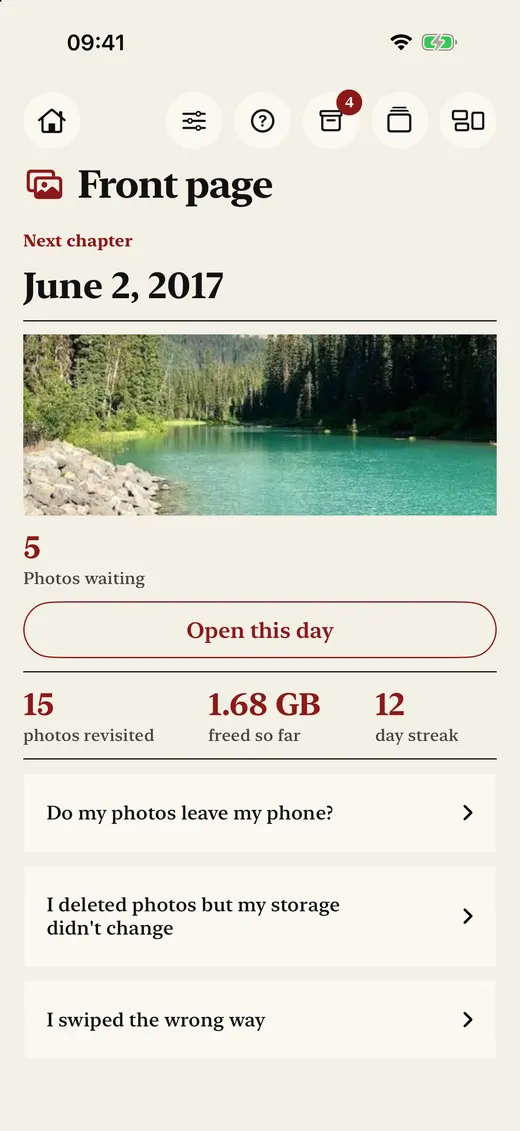
Start: Front pagekicker, headline, cover, stats columns
Serif type, paper colours, square corners and black rules. Home goes text-first, Settings rows turn bold, and the renewal text gets larger.
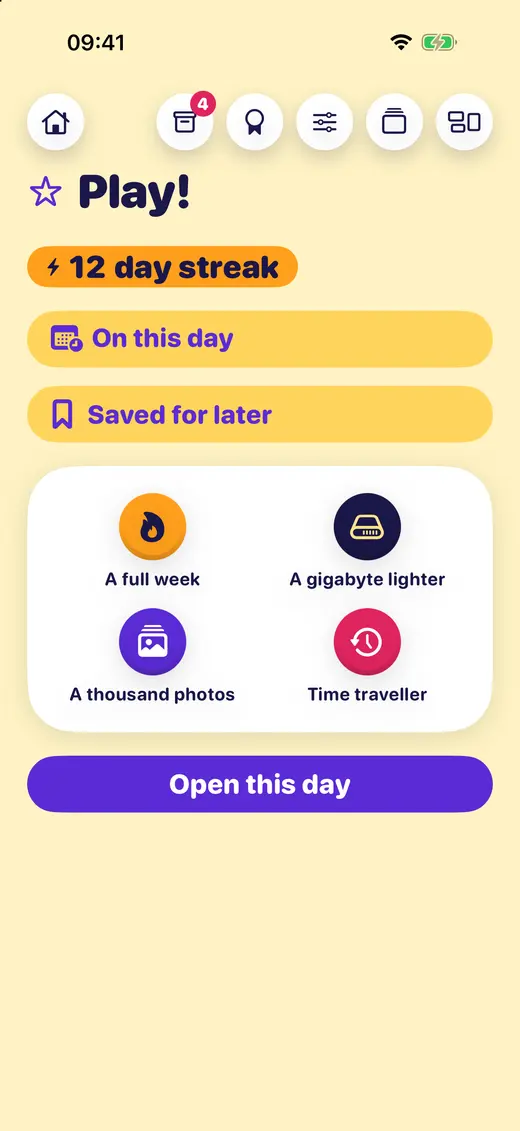
Start: Play!streak, two big deck buttons, a sticker grid
Text scale 1.3, rounded heavy type, every part two or three steps bigger, and a pink tin with its own screen theme.
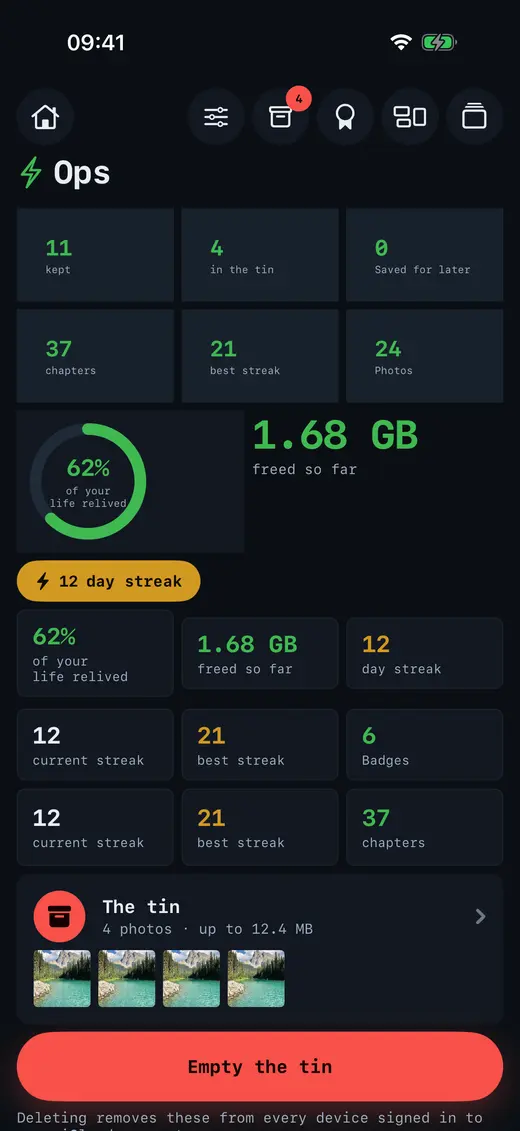
Start: Ops20 parts on one screen
A dense monospaced dark theme: hero tiles, every badge, newest years first, six shortcuts and a light paywall on a screen theme of its own.
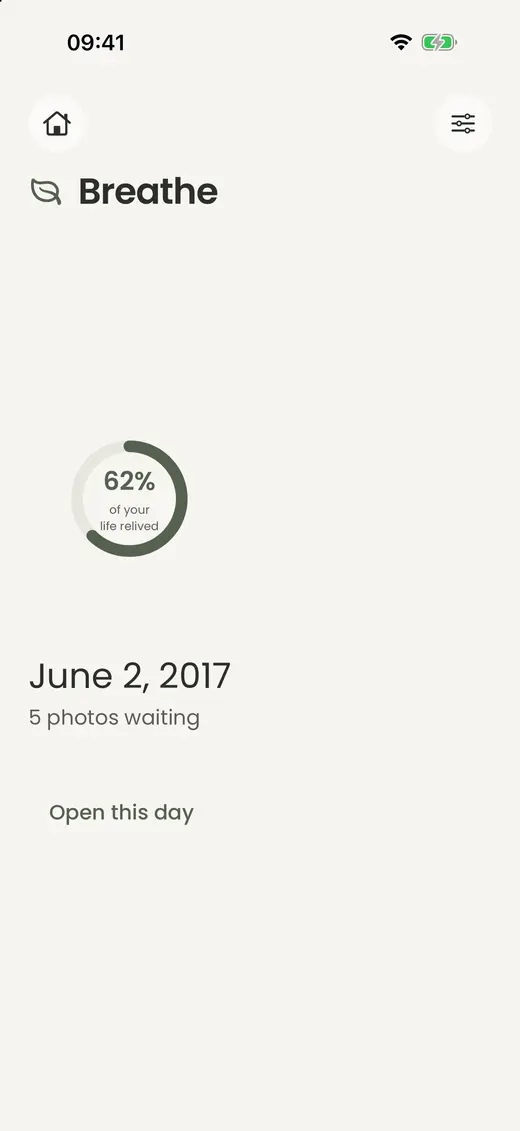
Start: Breathering, chapter, one quiet button
Home cut to the next chapter. The toolbar keeps only the tin and Settings. Light theme, generous spacing, no lines or shadows.
Pricing
One price per organisation, every month, in USD. You pay for customising users: the people who saved at least one change to your app that month.
Ship your first app today.
$0/ month
Start freeIncluded every month
For apps your users love to shape.
$150/ month
Start with GrowthIncluded every month
$10 per 1,000 more customising users
For a whole portfolio of apps.
$750/ month
Start with ScaleIncluded every month
$10 per 1,000 more customising users
A contract built around your company.
Custom
Book a demoIncluded every month
One app covers every platform it ships on. Included amounts renew on the first of every month (UTC). How usage is counted
Yes. A design is data: a JSON document that names components your app compiled in and registered. TweakLane downloads, installs and runs no code, so a design can only rearrange, restyle, hide or combine what is already in the binary you submitted. That is exactly what App Store Review Guideline 2.5.2 asks for, and the docs include an App Review notes template you can paste in.
Everything you lock. Mark a part required and it always stays visible; mark it fixed and it never moves. Typical locks are the paywall prices, Continue, Restore Purchases, Terms and Privacy, account deletion and the way back to Settings and Help. Legal text can’t shrink or fade, and every colour is checked for WCAG contrast: 4.5 : 1 for text, 3 : 1 for muted text and icons.
On every channel. The device checks edit mode, AI answers, stored files, restores and design switches. The hosted backend validates every write, every version and every AI proposal against your catalog, and answers anything that breaks a lock with HTTP 422 and a reason code such as required_missing:restore. Locks come only from your catalog and default documents: a lock field inside a stored or AI-made design is ignored.
Claude by Anthropic. Before the first request, the app shows a consent sheet that names the provider and says what is sent; the server refuses prompts without consent. Users write in their own language, see a preview of the change, and tap Apply or Discard. Every applied change is one undo step. You switch AI on per app in the dashboard and set its limits there.
They come along. Every design is checked against the new catalog on load: parts you removed drop out, anything a new lock forbids returns to how your app ships it, and the user sees a short note saying what changed. Undo, history and named designs keep working.
The app keeps working. Designs live on the device and sync when the connection returns, and your default layouts are compiled into the app. From the dashboard, a kill switch sends users back to your default layout for the whole app or a single screen.
By customising users: everyone who saved at least one change to your app in a calendar month. Each plan includes a number of them and of AI calls, and both renew on the first of every month, UTC.
On Growth and Scale, your users keep customising past it: every 1,000 customising users beyond the included amount cost $10, and nobody is turned away for passing it. On Free, new changes pause at the monthly limit until the month renews, and every saved design keeps loading for every user.
The SDKs are MIT licensed. The hosted backend, the AI and the dashboard are the service you sign up for.
TweakLane stores designs, not behaviour. The iOS privacy manifest declares no tracking. You export or delete any user’s data with your secret key or from the dashboard, and deleting an organisation deletes its apps and all their data.
Add the SDK, register your parts and ship.
Your users take it from there.


